

Your online store works, but the payment provider you started with may no longer fit your business model, your risk category, the countries you sell to or the way you need funds settled. Choosing a payment gateway for WordPress, Magento and PrestaShop is rarely about the checkout button alone. It is about whether the payment infrastructure behind your existing platform can support how you operate.
The reassuring part is that you usually do not need to rebuild or replace your store. WordPress and WooCommerce, Magento (Adobe Commerce) and PrestaShop can all keep running as your sales channel while you assess the payment layer connected to them. The right payment gateway for WordPress, Magento and PrestaShop connects to the store you already run instead of replacing it. This guide covers what to verify before integration: platform compatibility, checkout and settlement flows, approval and compliance, and the integration route that suits your setup.
Why ecommerce platform compatibility matters
A payment gateway for WordPress, Magento and PrestaShop is not only about whether a provider "supports" your platform. It shapes how the whole order lifecycle behaves once a customer pays. Before you commit, check how a gateway influences each of these:
- Checkout behaviour: hosted redirect, embedded fields or on-site checkout, and how that affects conversion.
- Payment method availability: cards, local methods, crypto and stablecoins where relevant.
- Order status updates: whether paid, pending and failed states sync back to your platform automatically.
- Refunds: processed from the admin panel, or only from the provider dashboard.
- Recurring or repeat payments: where your model relies on them.
- Fraud and risk controls: how screening interacts with your existing checkout.
- Settlement, reporting and reconciliation: how transaction data reaches your finance team.
- Technical maintenance: who keeps the connection working after platform updates.
Visual compatibility is the easy part. The status updates, settlement and reporting that happen after the customer clicks pay are what decide whether a setup works in production.
Customer payments and merchant settlement are separate parts of the flow
Merchants often judge a gateway by the checkout page, but that is only the first step. A single transaction moves through several distinct stages, each worth its own check:
- The customer completes a payment at checkout.
- Authorisation confirms the payment method and available funds.
- Payment status updates flow back to your store to mark the order.
- Processing and risk review screen the transaction.
- Settlement groups approved transactions for payout.
- Funds become available to the merchant, subject to the payout schedule and any reserve.
That is why you should evaluate the complete payment flow, not the checkout page in isolation. For a fuller breakdown, see how payments move from checkout through to settlement.
WordPress and WooCommerce payment considerations
On WordPress, payments are almost always handled by WooCommerce rather than WordPress itself. WordPress runs the site; WooCommerce runs the store, the cart and the checkout. Keeping that distinction clear helps when you troubleshoot. Verify:
- Theme and checkout compatibility: custom or heavily optimised checkouts can behave differently from the WooCommerce default.
- Plugin maintenance: a payment plugin needs updates as WooCommerce and WordPress release new versions.
- Version compatibility: confirm the supported WordPress and WooCommerce versions before integrating.
- Plugin conflicts: caching, checkout-optimisation and page-builder plugins can interfere with payment fields.
- Order status synchronisation: paid, on-hold and failed states should update without manual work.
- Webhook reliability: status callbacks must arrive consistently, or orders stall.
- Refunds and reporting: check whether refunds can be issued from within WooCommerce.
- Security and updates: you remain responsible for hosting, SSL and timely updates.
If you operate in a restricted category, the approval questions matter as much as the technical ones. A WordPress payment gateway for high-risk businesses adds another layer: the provider must be willing to underwrite your business, not simply render a checkout. Our guide on what to check for a high-risk WooCommerce payment gateway covers that side, and WooCommerce publishes its own payments documentation for the platform basics.
Magento payment considerations
Magento, now Adobe Commerce, suits larger and more complex catalogues, and its flexibility changes what integration involves. Check:
- Extension and version compatibility: confirm support for your Magento Open Source or Adobe Commerce version.
- Staging and testing: Magento deployments normally require testing on a staging environment before go-live.
- Custom checkout configurations: one-step checkouts and customisations can affect payment behaviour.
- Multi-store environments: a single instance may serve several stores, currencies or regions.
- Order and payment status handling: invoices, credit memos and order states need to map correctly.
- Server-side requirements: Magento is resource-intensive, so hosting and cron jobs matter.
- Webhook or API communication: confirm how status updates are delivered.
- Maintenance after updates: Magento upgrades can require re-testing the payment path.
- Reconciliation and settlement reporting: check the data your finance team receives.
Magento’s flexibility does not make it inherently better suited to high-risk businesses. A Magento high-risk payment gateway still depends on underwriting, approved categories and settlement terms. The platform handles the storefront, not the risk decision.
PrestaShop payment considerations
Selecting a PrestaShop payment gateway means checking the module layer as carefully as the commercial terms. PrestaShop is widely used across Europe and in multi-language markets, and its module system shapes integration. Verify:
- Module and version compatibility: PrestaShop 1.6, 1.7 and 8.x differ, so confirm which your provider supports.
- Theme and checkout customisations: modified checkouts can change how payment modules display.
- Multi-store or multi-language environments: common in PrestaShop and worth confirming up front.
- Order status mapping: payment states should align with PrestaShop order statuses.
- Refunds: check whether they are handled in the back office or the provider dashboard.
- Payment notifications: reliable callbacks keep orders accurate.
- Reporting: confirm the transaction detail available for reconciliation.
- Updates and ongoing support: modules need maintenance as PrestaShop evolves.
PrestaShop’s developer documentation is the reference point for how modules and the payment API behave.

Plugin, extension or API: choosing the right integration route
There are usually three routes for ecommerce payment integration, meaning three ways to connect a gateway to your platform. Availability varies by provider, so confirm what applies to your setup rather than assuming all three are offered:
- Existing platform plugin or module: the fastest route when a maintained plugin or module exists for your exact version.
- Supported third-party connector or extension: middleware that bridges your platform and the provider.
- Direct API or custom integration: the most flexible route, built for your specific checkout and order logic.
A direct API integration is often the better choice when you have:
- a heavily customised checkout;
- a headless or decoupled front-end;
- multiple sales channels feeding one payment layer;
- custom order or fulfilment logic;
- advanced reporting requirements;
- platform-specific limitations a plugin cannot solve.
An API route normally requires development resources, testing and ongoing maintenance. It is more capable, not more convenient. If you are weighing it, our overview of connecting through a payment API covers what to check first. With Niftipay specifically, available integration routes may vary by platform and setup, so confirm current compatibility during onboarding rather than assume a native plugin exists.
For WooCommerce and PrestaShop there are maintained plugins rather than a custom build, and the REST API covers everything else; the integration paths are listed for developers, including hosted checkout and webhooks.
Shopify sits outside this list because it does not accept third-party gateways the same way. What that means in practice for a UK store is covered in our guide to a crypto payment gateway for Shopify.
Compliance, approval and risk checks before integration
Technical compatibility does not guarantee that a provider will approve your account. Approval is a separate, commercial decision, and for restricted categories it is the step most likely to cause delay. Expect to provide and review:
- company and ownership information;
- KYB (Know Your Business) documentation;
- website readiness and a working checkout;
- a review of the products or services you sell;
- clear refund and cancellation policies;
- delivery or fulfilment information;
- your expected transaction patterns;
- target countries;
- average transaction value;
- expected monthly volume;
- chargeback exposure;
- any restricted or regulated categories you operate in;
- the legal pages your site must publish, such as terms, privacy and refunds.
None of this should feel alarming; it is standard due diligence. Preparing it early tends to shorten the process. Our guide to KYB requirements explains what underwriters typically look for.
Settlement, payouts and reporting checks
Before integrating, confirm how money reaches you and how it is reported. These commercial details vary between providers and should be checked against your operating needs:
- Settlement currency and payout currency, and whether they differ.
- Settlement frequency: how often approved funds are paid out.
- Reserve arrangements where they apply to your category.
- Processing fees and how they are structured.
- Currency conversion and the rates applied.
- Reconciliation data: the detail your finance team receives.
- Transaction status reporting: pending, approved, failed and settled.
- Refund visibility within your reports.
- Dispute and chargeback reporting.
- Minimum payout thresholds where they apply.
Settlement terms differ by merchant and category, so treat any figures as something to confirm in writing during onboarding rather than a fixed promise.
What merchants should prepare before applying
A short preparation list makes both the technical and commercial reviews faster. Before you apply, gather:
- your current ecommerce platform and its exact version;
- your checkout configuration;
- existing plugins, modules or custom code at checkout;
- the payment methods you need to offer;
- target countries and currencies;
- expected transaction volume;
- average order value;
- a clear description of your business model;
- your fulfilment method;
- the payment problems you are trying to solve;
- a technical contact or developer, if integration may need one;
- company and KYB documentation;
- your preferred settlement structure.
If you want a broader pre-application view, our payment gateway onboarding checklist expands on the documentation side.
How to choose a payment gateway for WordPress, Magento and PrestaShop
Bring the checks together into a simple decision framework. For your platform and business model, assess:
- whether a prebuilt integration is verified and actively maintained for your version;
- whether custom development is required instead;
- whether the provider supports your business model and category;
- whether settlement terms match how you actually operate;
- whether reporting is sufficient for your finance team;
- whether the integration can be properly tested before go-live;
- whether you have internal or external development support available.
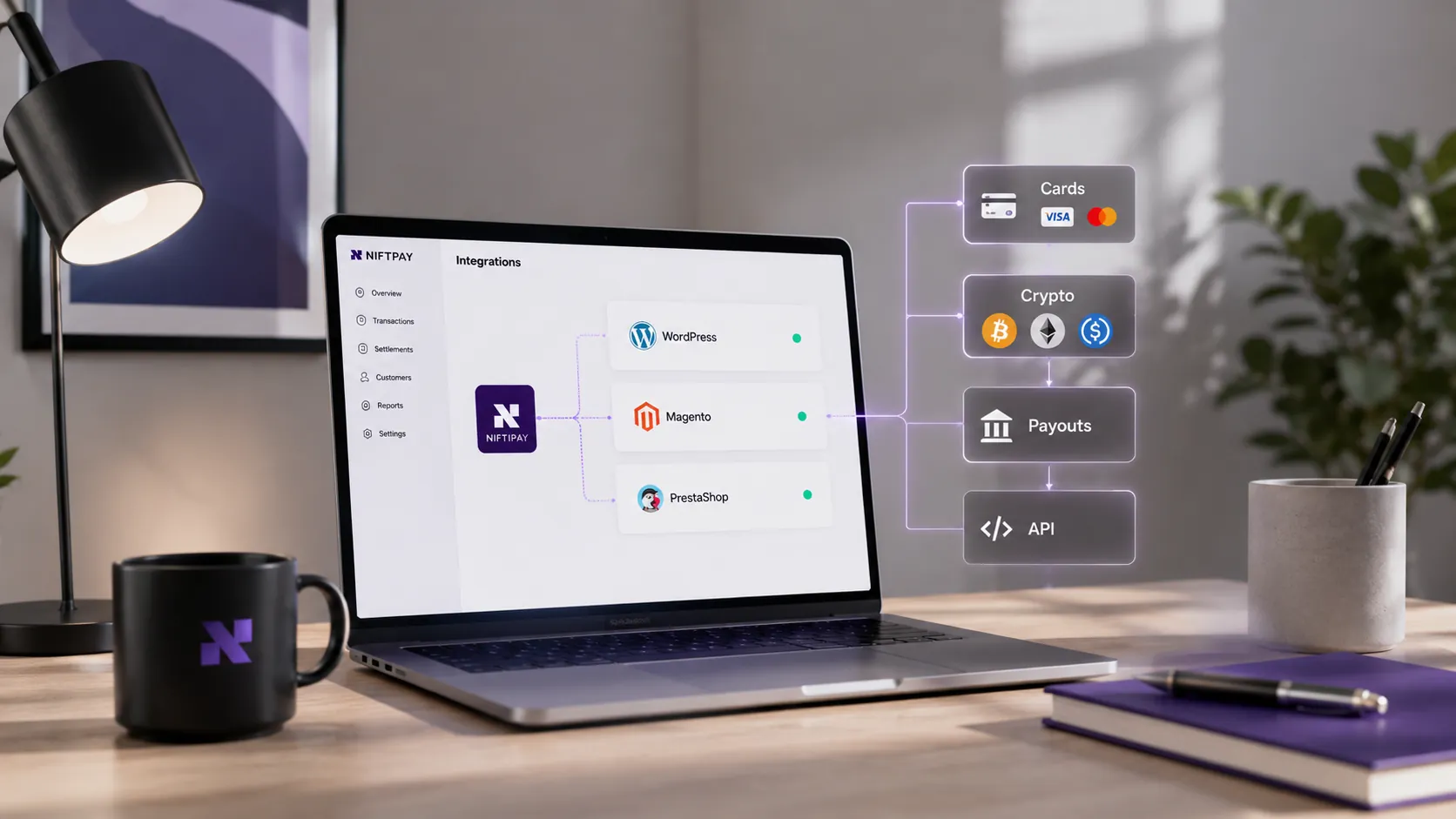
The aim is not to replace what already works. WordPress and WooCommerce, Magento and PrestaShop can remain your storefront while you upgrade the payment infrastructure behind them. Niftipay positions itself as that payment layer, unified card, crypto and stablecoin acceptance with settlement workflows, not an ecommerce store builder. What integration looks like depends on your platform, business model and approved setup, so confirm compatibility and terms for your case.
Payment gateway for WordPress, Magento and PrestaShop: FAQs
Can I keep my existing WordPress, Magento or PrestaShop store when changing payment providers?
Yes. In most cases you keep your platform and change only the payment layer connected to it. WordPress and WooCommerce, Magento and PrestaShop continue running as your storefront, while the new gateway handles checkout, processing and settlement. You should still test the integration afterwards and confirm that order statuses, refunds and reporting behave correctly.
Does every payment gateway offer a plugin for WooCommerce, Magento and PrestaShop?
No. Plugin, module and extension availability varies by provider and by platform version. Some providers maintain official plugins, others rely on third-party connectors, and some are integrated through a direct API. Always confirm current compatibility for your exact platform version before committing, rather than assuming a native plugin exists for every platform.
When is an API integration better than a plugin or module?
A direct API suits heavily customised or headless checkouts, multiple sales channels, custom order logic or advanced reporting needs that a standard plugin cannot meet. It is more flexible, but it requires development resources, testing and ongoing maintenance. If a maintained plugin already fits your platform and version, that is usually the faster route.
What documents are normally needed before payment gateway approval?
Approval typically requires company and ownership details, KYB documentation, and a working website with clear refund and delivery policies. Providers also review your products, target countries, average transaction value and expected volume. Restricted categories may need extra review. Preparing these in advance tends to make onboarding faster, although approval is never guaranteed.
What settlement details should merchants check before integrating a payment gateway?
Confirm the settlement and payout currencies, settlement frequency, processing fees, any reserve arrangements, currency-conversion rates, minimum payout thresholds and the reconciliation data you receive. Also check how refunds, disputes and chargebacks appear in reporting. These terms vary by merchant and category, so confirm them in writing during onboarding rather than assuming standard values.