
Add Card Payments to Your Ecommerce, Platform or Custom Checkout
Card payment infrastructure adapted to your business model, integration requirements and risk profile. Accept Visa and Mastercard credit, debit and prepaid cards, plus Apple Pay and Google Pay, through a hosted Niftipay checkout, payment links, WooCommerce and PrestaShop plugins or the REST API. Complex and high-risk models are assessed individually, subject to qualification and compliance review.
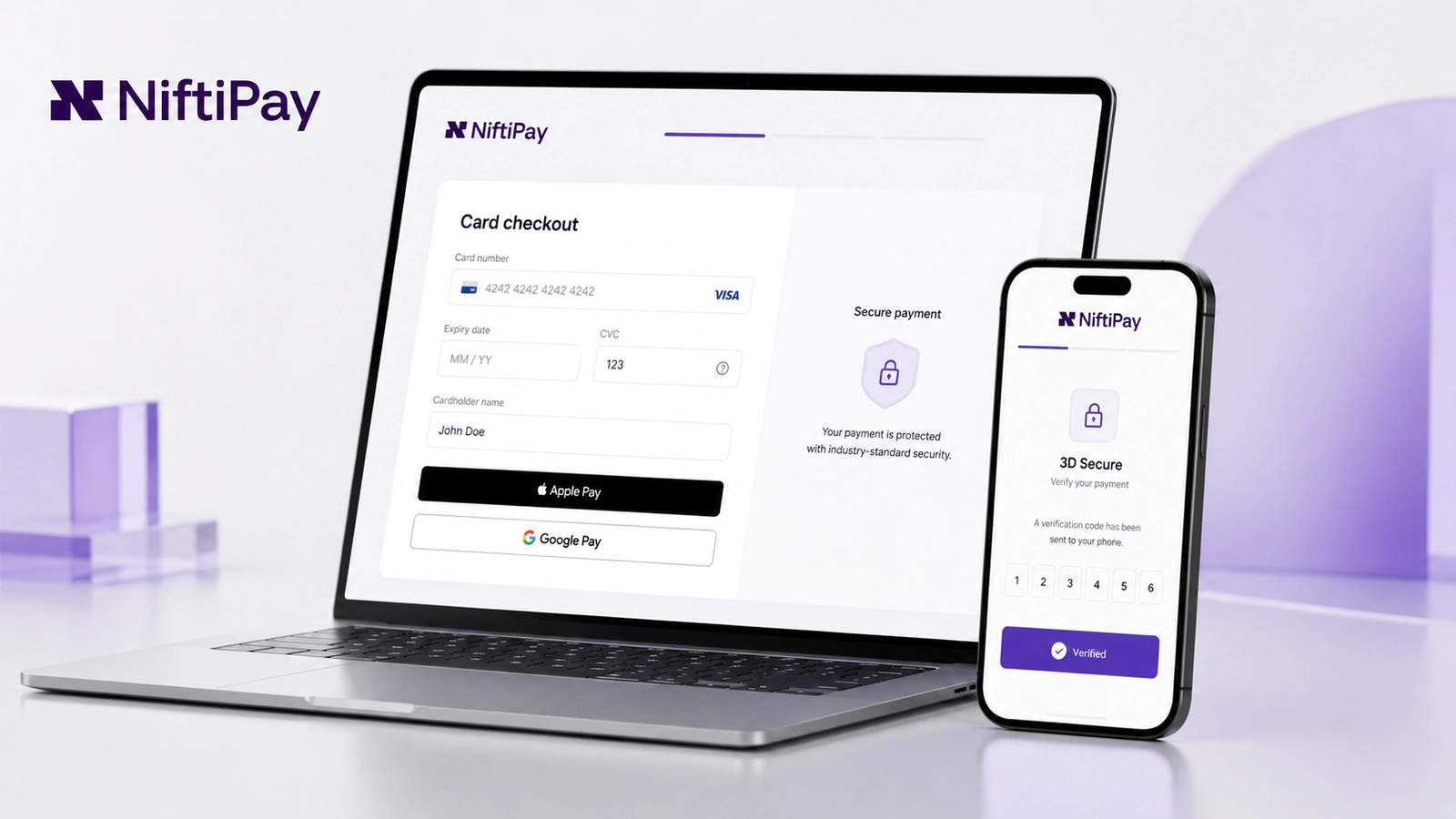
Card Payments at a glance
- Visa and MastercardCredit, debit and prepaid cards
- Hosted checkoutPayment flow managed by Niftipay
- 3D SecureApplied when required by the issuer or transaction
- T+9Standard settlement schedule
Card acceptance, settlement terms and available payment flows are confirmed during merchant onboarding. Availability depends on the approved business model and jurisdiction.
From customer checkout to confirmed card payment
Card Payments connects the checkout your customers already expect to the acquiring and settlement layer behind it. The merchant creates the payment, the customer pays on a hosted Niftipay checkout, the issuing bank decides the outcome, and the result flows back into your systems automatically.
The five steps below describe the full journey, from the moment a payment is created to the moment funds are settled to the approved payout account.
- 1
Create the payment
Generated from an ecommerce store, a payment link, a plugin or the REST API. The order amount and currency are set at this point.
- 2
Customer enters payment details
The customer pays on a hosted Niftipay checkout using a Visa or Mastercard card, or a supported mobile wallet.
- 3
3D Secure when required
The issuing bank may request additional authentication. Whether a challenge appears is decided by the issuer, not by the merchant.
- 4
Authorisation result
The issuing bank authorises or declines the payment. Confirmation normally takes up to approximately two minutes.
- 5
Dashboard and settlement
The merchant reviews the transaction, receives a webhook update, and settlement follows the approved schedule.
Card payments are normally processed within up to approximately two minutes, depending on the issuing bank, 3D Secure flow and transaction review. This is a typical timing rather than a guaranteed one. You can follow the same lifecycle programmatically through the Card Payments developer documentation.
Accept major card types and mobile wallets
Customers pay with the two card networks that cover the majority of online card volume, plus the mobile wallets built into the devices they already carry. The available methods are shown on the hosted checkout, so the merchant does not have to build a method selector.
- Card networkVisaCredit, debit and prepaid cards.
- Card networkMastercardCredit, debit and prepaid cards.
- Mobile walletApple PayWhere supported by device, issuer and merchant setup.
- Mobile walletGoogle PayWhere supported by device, issuer and merchant setup.
American Express is not currently supported. Final acceptance depends on the issuing bank, card status, merchant setup and transaction review. Apple Pay and Google Pay are available within the Card Payments flow subject to compatibility, merchant setup, device, country and card issuer.
A controlled card payment flow without storing card details on your site
Card details are entered on a payment page hosted and operated by Niftipay, not on your own domain. That keeps the card-entry surface off your site and out of your codebase, while the commercial relationship with the customer stays entirely yours.
What the hosted flow covers
- The customer completes the payment on a checkout hosted by Niftipay.
- The merchant does not have to design, build or maintain a payment form.
- The flow can be started from a store, a plugin, a payment link or the REST API.
- 3D Secure is applied when the issuing bank or the transaction flow requires it.
- Apple Pay and Google Pay can appear as options, subject to device and merchant setup.
- The transaction status is updated once the issuing bank has responded.
- The result is returned to your system through a webhook.
Illustrative payment flow. The exact checkout experience may vary by merchant setup, issuer and device.
Card details are not stored for future purchases, so there is no saved-card or card-on-file option. Read more about the controls behind the payment flow in Niftipay security controls, or see the endpoints in the Card Payments developer documentation.
Collect card payments without a full ecommerce checkout
Not every card payment starts in a shopping basket. A payment link lets you collect a card payment from a customer who has never visited an ecommerce checkout, which suits invoicing, remote sales and individual orders agreed over email, chat or the telephone.
The customer opens the link and completes the payment on the same hosted Niftipay checkout used everywhere else, so the authorisation behaviour and the 3D Secure step are identical to a payment created from a store or through the API.
Where payment links fit
Invoices
Send a link alongside an invoice so the customer can settle it by card without a separate payment portal.
Remote sales
Agree an order by email, chat or telephone and collect payment through a link rather than reading card details aloud.
Individual orders
Take a one-off order from a customer who is not buying through your ecommerce checkout.
Payments without a complete storefront
Collect a card payment when there is no full ecommerce checkout to send the customer to.
Pay by card
Illustrative payment link. The amount, currency and content are set by the merchant when the link is created.
A payment link collects a single card payment. It does not create a subscription, a recurring charge or a stored card, and each payment follows the applicable authorisation and 3D Secure flow in its own right.
Reserve funds for approved booking and deposit flows
Some business models need to reserve funds before the final amount is known or before a service has been delivered. Card Payments supports preauthorisations for these approved flows, so a temporary hold can be placed on the customer’s card rather than taking a full payment up front.
Hotel bookings
Hold funds against a reservation at the time of booking, in line with the approved payment flow for your account.
Car rentals
Reserve an amount at collection where the final total depends on the return condition or duration.
Deposits and approved holds
Place a temporary hold for a deposit or another approved payment flow that requires funds to be reserved.
Preauthorisation availability is confirmed during onboarding according to the business model and approved payment flow. Preauthorisations are not enabled automatically for every merchant or every industry. Preauthorisation terms, hold periods and completion rules depend on the approved merchant setup and card-network conditions. A preauthorisation is a temporary hold on funds, not a recurring charge.
Issue full or partial refunds from the approved payment flow
Refunds are issued from the same payment flow that took the original payment. You can return the full amount or part of it, which covers partial cancellations, price adjustments and returned items without needing a separate process for each case.
Refund terms
- Full refundsReturn the entire original payment
- Partial refundsReturn part of the original payment
- Around 48 hoursTypical processing time, not guaranteed
- €1 refund feeApplied to each refund, full or partial
How a refund travels
- Merchant initiates the refund
- Niftipay processes the request
- Issuer and card network update the payment
- Customer receives the refunded amount
Full and partial refunds are supported. Refunds normally take around 48 hours to process, although the final timing depends on the issuing bank and card network. A €1 refund fee applies.
Because the last stage sits with the card network and the issuing bank, the 48-hour figure is a typical processing time rather than a guaranteed arrival time in the customer’s account. The refund status is visible in the dashboard and is also sent to your server as a refunded webhook event.
Clear payout terms for approved card processing
Settlement terms are part of the commercial setup rather than an afterthought, so they are set out in full here. Card processing carries a rolling reserve, and the figures below are the conditions that apply from the start of processing.
- T+9Standard settlement schedule
- EUR, GBP, USD or USDTApproved payout options
- USD 500Minimum payout threshold
- 10% for 181 daysInitial rolling reserve
| Term | Applies | Detail |
|---|---|---|
| Settlement | ||
| Settlement schedule | T+9 | The standard settlement schedule for approved card processing. |
| Payout options | EUR, GBP, USD or USDT | A bank account in EUR, GBP or USD, or a USDT wallet, according to the approved setup. Payout options are not all active at once. |
| Minimum payout | USD 500 | Or the applicable equivalent. Balances below the threshold are paid once the threshold is reached. |
| Rolling reserve | ||
| Initial rolling reserve | 10% | Withheld from settled volume from the start of processing. |
| Reserve holding period | 181 days | The period for which each portion of the reserve is held. |
| Reserve review | May be reviewed over time | According to processing history, chargeback performance, risk profile and account review. |
| Confirmation | ||
| Final terms | Confirmed during onboarding | Settlement schedule, payout currency and reserve conditions form part of the approved merchant setup. |
An initial 10% rolling reserve is held for 181 days. Reserve conditions may be reviewed over time according to processing history, chargeback performance and account risk. A review is not a commitment that the reserve will be reduced or removed.
Standard settlement is T+9, with approved payout options in EUR, GBP, USD or USDT. A minimum payout threshold of USD 500 applies. Settlement, currency and reserve conditions are confirmed as part of merchant onboarding and may vary according to the approved processing setup.
Track payments, refunds, declines and transaction status
Every card payment is visible in the merchant dashboard, from the moment it is created through to refunds and disputes. The same lifecycle is delivered to your own systems through webhooks, so your order records stay in step without anyone re-keying a status by hand.
What the dashboard covers
- View and filter transactions
- Export transaction records
- View the order ID
- View the payment ID
- Review payment status
- View decline reasons
- Review refund status
- Receive webhook updates
Transaction lifecycle values sent to your server as webhook events:
- pending
- paid
- refunded
- cancelled
- expired
- chargeback
Conceptual interface shown for illustration. Features, figures and layout may vary in the live Niftipay dashboard.
These are the exact event values delivered by the Niftipay webhook API for card orders, reproduced in the capitalisation the API uses. The full payload for each event is documented in the Card Payments developer documentation.
The dashboard shows when a payment has reached chargeback status, but it is not a dispute-management tool: it does not prepare or submit chargeback evidence, store cards for future purchases, or create subscriptions.
Connect Card Payments to the way you already sell
How you connect Card Payments depends on how you already sell. Some merchants never touch a line of code, others build against the API directly, and both routes lead to the same hosted checkout and the same transaction lifecycle.
Endpoints, authentication and webhook payloads are covered in the Card Payments developer documentation, and the wider plugin and API surface is set out in Niftipay integration options. Integration work follows merchant qualification.
Conceptual overview shown for illustration. The available routes are confirmed with your approved merchant setup.
Hosted payment flows
- Hosted checkout
- Payment links
Ecommerce plugins
- WooCommerce
- PrestaShop
Custom integrations
- REST API
- API keys
- Webhooks
- Custom ecommerce
- Custom platforms
Commercial terms confirmed during onboarding
Transaction pricing is agreed with each merchant rather than published as a single public rate, because the rate that applies to a low-risk digital business and the rate that applies to a complex cross-border model are not the same number. The account conditions that do not vary are listed in full below.
| Item | Applies | Detail |
|---|---|---|
| Commercial pricing | ||
| Transaction pricing | Confirmed during onboarding | Set according to the business model, expected volume, markets and processing profile. |
| Setup fee | May apply | Depending on the merchant setup agreed during onboarding. |
| Monthly fee | May apply | Depending on the merchant setup agreed during onboarding. |
| Operational fees and responsibilities | ||
| Refund fee | €1 per refund | Applied to each refund, whether full or partial. |
| Chargeback fee | €45 per chargeback | Applied when a chargeback is filed against a transaction. |
| Chargeback evidence | Prepared and submitted by the merchant | Niftipay shows the available transaction information but does not prepare or submit the dispute response. |
Pricing depends on the business model, expected processing volume, markets served, currencies and processing profile.
A €45 chargeback fee applies. Merchants remain responsible for preparing and submitting any required evidence or dispute response. Niftipay can show the transaction information available for the disputed payment, but does not build or file the defence on the merchant’s behalf.
If disputes are new territory for your team, our guide to understand chargeback handling covers evidence, deadlines and workflow in detail.
Card payment infrastructure for established and complex online businesses
Card Payments is used across a wide range of online business models, from straightforward ecommerce to sectors that conventional acquirers decline as a category. Every application is reviewed individually. Availability depends on the products or services sold, target markets, customer profile, expected processing volume and compliance assessment.
Start with qualification, KYB and compliance review
Card Payments requires merchant qualification before any payment can be taken. That means know-your-business verification and a compliance review, carried out manually by a person rather than by an automated score, which is what allows complex models to be assessed properly instead of being rejected by a rule.
How qualification runs
- Create a Niftipay account.
- Submit company and ownership information.
- Provide shareholders holding 25% or more.
- Complete KYB and compliance review.
- Confirm commercial and integration terms.
What to prepare
- Company registration details
- Director and owner identity documents
- Business address
- Website and business model
- Products and services
- Target markets
- Expected processing volume
- Shareholders holding 25% or more
- Additional documents where required
Applications are normally reviewed within two to five business days. Complex business models or additional documentation requests may take longer. Approval is not guaranteed, and activation within five business days is not guaranteed.
Ready to begin? You can start Card Payments qualification by creating an account, or contact Niftipay support if you would like to check something before applying.
Card Payments availability depends on the merchant and jurisdiction
Card Payments is offered on a per-merchant basis rather than as a blanket global product. Whether it is available to you depends on where your business is registered, the markets you sell into, and whether acquiring is available for your model in those markets.
Available in supported jurisdictions, subject to merchant qualification, KYB, compliance review and acquiring availability.
Restricted jurisdictions and market-level availability are confirmed during onboarding for your specific business. If a particular market is central to your plans, raise it at the start of qualification so it can be checked before you invest in integration work.
What availability depends on
- Merchant qualification
- KYB
- Compliance review
- Acquiring availability
Already have a Niftipay account?
Open your dashboard, review your approved payment setup and access the credentials needed to connect Card Payments.
If you are already processing with Niftipay, you can open your Niftipay dashboard to generate API keys, register webhook URLs and review your live transactions.
Questions about Niftipay Card Payments
Answers about accepted cards and wallets, the hosted checkout, 3D Secure, processing times, preauthorisations, refunds, settlement, the rolling reserve, pricing, chargebacks and merchant onboarding.
Looking for another Niftipay payment product?
Compare Card Payments, Crypto Payments and Niftipay Card to find the product that matches your payment flow.
The hub sets out what each product does side by side, so you can compare Niftipay payment products before deciding which to apply for.
Ready to Add Card Payments to Your Business?
Create a Niftipay account, complete merchant qualification and connect the approved card payment flow to your ecommerce, platform or custom checkout. Already have an account? Open your dashboard.