
Crypto Payment Gateway for Online Businesses
Accept cryptocurrency and stablecoin payments through hosted checkout, payment links, QR codes or API integration, while keeping your existing sales flow. Available in supported jurisdictions, subject to KYB and compliance review.
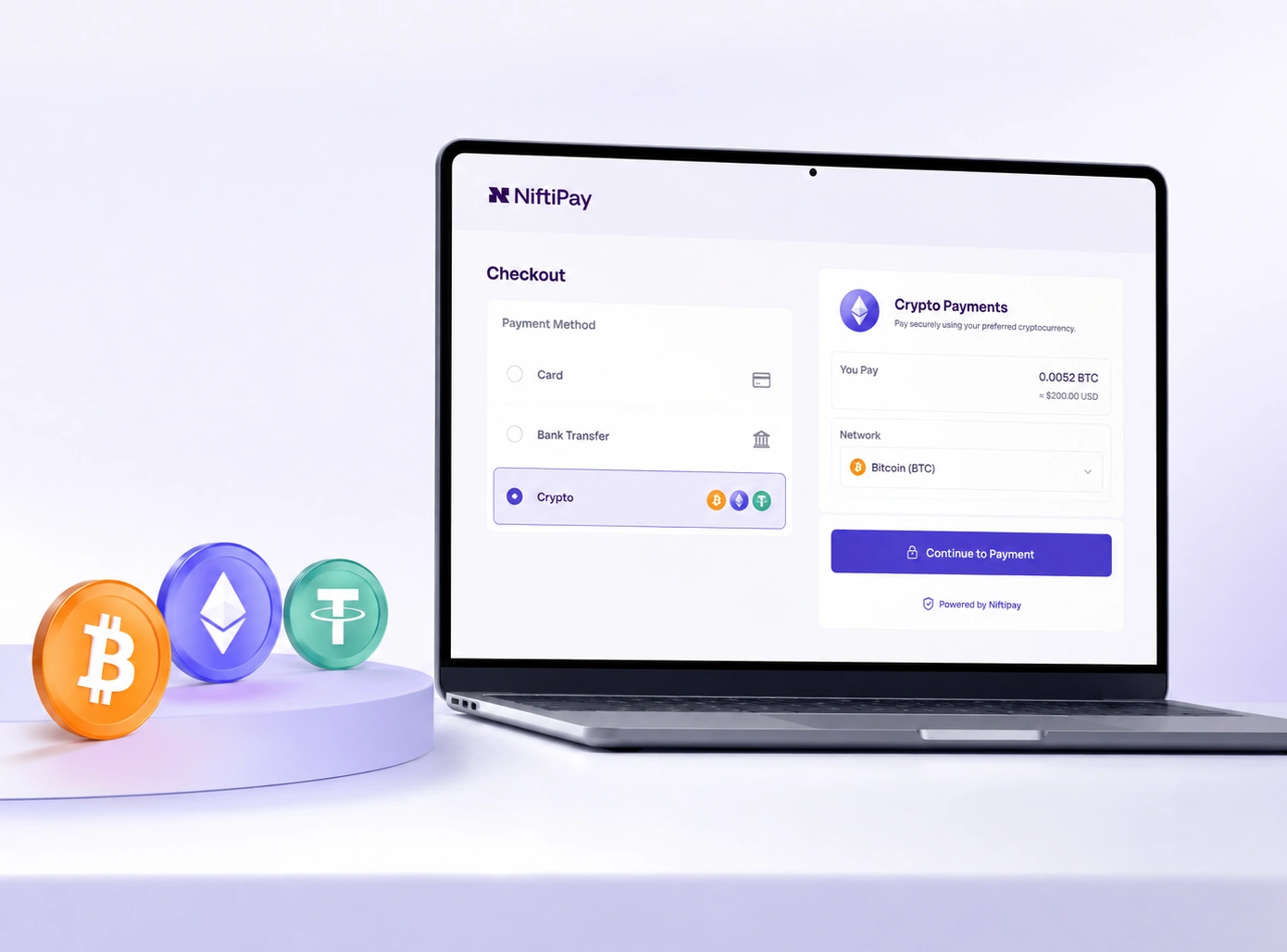
Crypto Payments at a glance
Supported Cryptocurrencies and Display Currencies
Customers can pay using established cryptocurrencies and dollar-backed stablecoins. One asset is selected for each order during checkout.
Prices can be displayed in supported fiat currencies, while Niftipay calculates the equivalent amount in the asset selected by the customer. The customer pays in crypto and the merchant receives that same asset in their Niftipay balance.
Supported assets and networks depend on the payment flow approved for the account.
- Bitcoin
- EthereumSelected
- Solana
- Litecoin
- XRP
- Tether
- USD Coin
Stablecoin network
USDT and USDC are currently supported through Ethereum ERC-20 only.
Example order
- Display price€250.00 EUR
- Customer paysCalculated at checkout
- Merchant receivesETH
Interface shown for illustration. Values are examples only. The merchant receives the asset paid by the customer in their Niftipay balance.
How a Crypto Payment Works
Add crypto and stablecoin payments to your existing sales flow. Crypto Payments sits alongside the checkout you already run, so your card flow stays as it is and the customer simply gains a second way to pay.
The customer chooses crypto
At the checkout the customer selects Crypto Payments and picks one of the supported assets.
Niftipay creates the payment order
The order is created with the amount converted into the selected asset, from the dashboard, a payment link or the REST API.
Payment details are issued
The customer receives the asset, the required network, the amount, the wallet address and a QR code.
The transaction is detected
The customer sends the funds from their own wallet, and the blockchain transaction is detected and monitored.
The order status is updated
The status changes, a webhook informs your system, and the asset is credited to your Niftipay balance.
Confirmation depends on the network, so a payment is credited once it has been detected and confirmed rather than at a fixed time.
Clear Payment Instructions for Every Order
The checkout is hosted by Niftipay, so the business does not need to build or maintain its own crypto payment screen. Each order provides the customer with the information required to complete the payment.
Each payment page includes
- Selected asset
- Required network
- Payment amount
- Wallet address
- QR code for mobile wallets
- Order reference
- Payment status
- Payment amount0.0052 BTC
- Selected assetBitcoinBTC
- NetworkBitcoin
bc1qar0srrr7xfkvy5…qk3ndzs9ulsk3zOr copy the address for a desktop or hardware wallet.
Interface shown for illustration. Each payment order includes its own amount, address, QR code and status.
Customers must use the asset and network shown at checkout. Funds sent through an incorrect or unsupported network may be unrecoverable.
A payment order remains valid for the period shown at checkout. If it is not completed within that period, a new payment order must be created.
Track Crypto Payments Through Clear Order Statuses
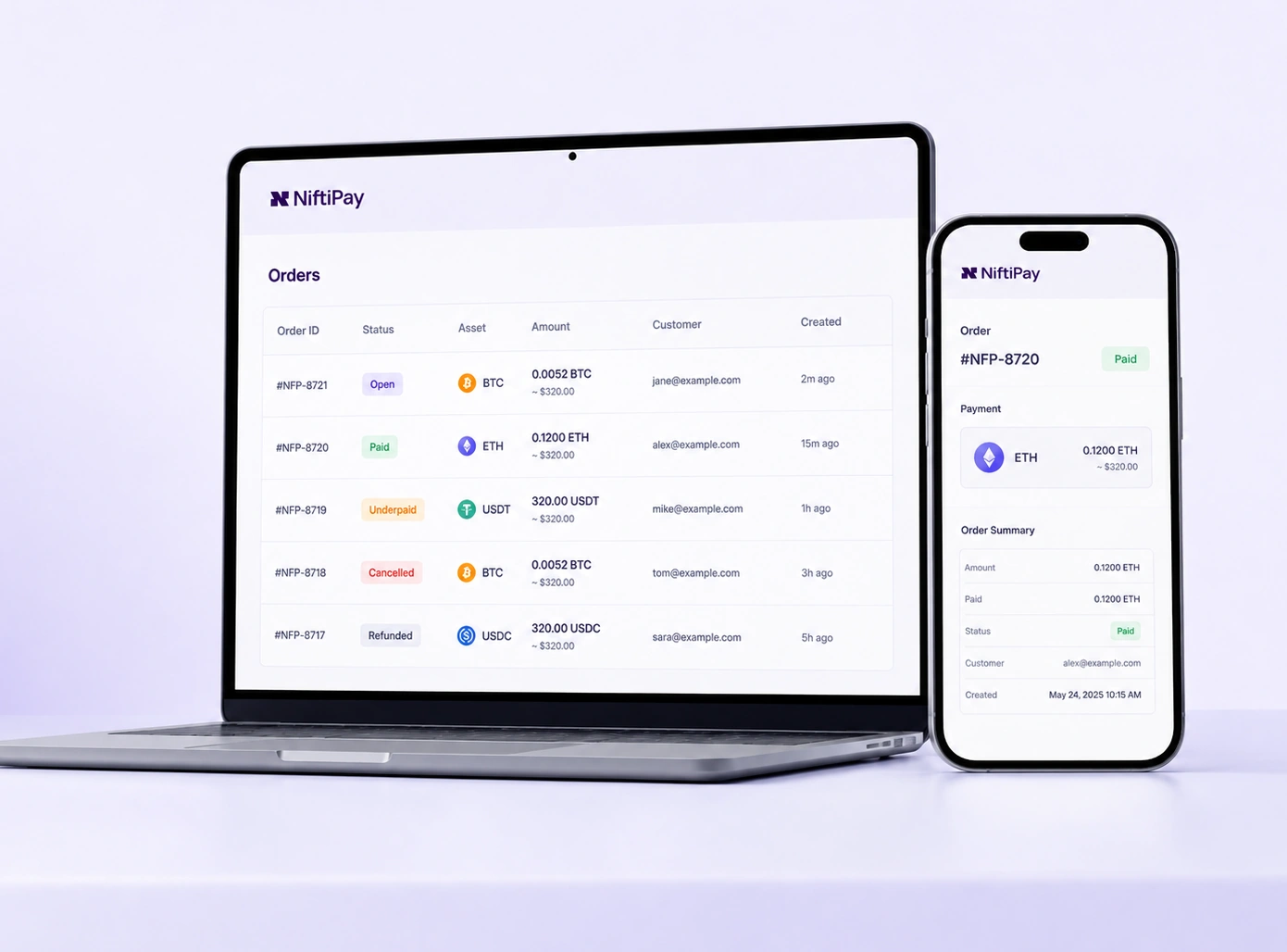
Every crypto order carries a status you can read at any time, from the merchant dashboard or through the API. The status is what tells you whether to release the goods or the service.
- Open
- Paid
- Underpaid
- Cancelled
- Refunded
Merchants can associate payment information with an order, so a crypto order sits in the same workflow as any other order rather than being reconciled by hand.
Begin fulfilment only once an order has reached the paid state. An order that is still open, or that has been flagged as underpaid, has not been settled.
- Order IDEach payment is tied to the order reference used in your own system, so the two records stay aligned.
- Transaction hashThe blockchain transaction hash is available for the payment, which makes an individual order traceable on the network.
- Payment statusThe current status is available from the merchant dashboard and through the API for any order.
- Webhook updatesStatus changes are pushed to your ecommerce platform or connected system as they happen.
Incomplete, Incorrect and Refunded Payments
Crypto payments can arrive below or above the requested amount, be sent using the wrong asset or network, or require a refund. Each situation needs a clear operational decision from the merchant.
These cases are identified and reviewed individually rather than resolved automatically.
Niftipay security controlsContact Niftipay support
1Underpayment
The order is identified as underpaid so the merchant can decide whether to request the remaining amount, cancel the order or take another appropriate action.
2Overpayment
Any additional amount received remains associated with the merchant balance. It is not returned automatically and may require a manual goodwill adjustment.
3Wrong network or wrong asset
Funds sent using an incorrect or unsupported asset or network may be unrecoverable. The customer must follow the payment details shown at checkout.
4Refunds
Crypto refunds are not identical to card refunds. The customer may need to provide a valid wallet address and the merchant must follow the applicable refund process.
Refunds are sent to the validated wallet address supplied for the refund process. The final amount may be affected by applicable network fees.
Connect Crypto Payments to the Way You Already Sell
Add Crypto Payments to an existing sales flow through hosted checkout, payment links, QR payments, ecommerce plugins or a custom API integration.
No-code and low-code
- Hosted checkout
- Payment links
- QR payments
Ecommerce plugins
- WooCommerce
- PrestaShop
Custom integration
- REST API
- Webhooks
- Custom ecommerce flows
Existing merchants can access the Niftipay account area, obtain the required credentials and connect Crypto Payments to their order flow. If the product is not yet enabled, the payment flow remains subject to qualification review. For a step-by-step walkthrough, see our guide to adding crypto payments to a website.
How Crypto Payments connects
- Hosted checkout
- Payment links
- QR payments
- REST API
- WooCommerce
- PrestaShop
Diagram shown for illustration. Available integration options depend on the payment flow approved for the account.
Built for Online Businesses
Crypto Payments can support different online sales models, including businesses that may be difficult to place with conventional payment providers.
Availability is not automatic for any sector. Every application is reviewed individually and remains subject to business model, jurisdiction and approved activity.
- Ecommerce storesAdd crypto as an additional checkout option for physical or digital products without replacing the existing card flow.
- Digital servicesAccept crypto or stablecoins from customers already comfortable using digital assets.
- Subscription businessesConnect crypto payment orders to the same billing, access or fulfilment workflow used for other payment methods.
- Online platformsLink each payment and status update to the relevant user, order or platform transaction.
- Bot commerceAccept payment through hosted checkout, payment links or QR codes within chat-first sales journeys.
- Multi-market businessesOffer a payment method that is not tied to a single local banking corridor.
Start With KYB and Compliance Review
Crypto Payments is a regulated merchant product. Businesses must complete KYB and compliance review before the payment flow can be enabled.
Approval depends on the business model, jurisdiction, website, products or services and expected payment flow. Integration and final commercial conditions are confirmed after the required review, and approval is not guaranteed.
Available in supported jurisdictions and subject to KYB, compliance review and approved activity.
Prepare your business information
- Company registration and ownership details
- Website and business model
- Products or services sold
- Target markets
- Expected payment flow and processing volume
- Additional documentation where required
- 1Create or access your Niftipay account
- 2Submit the qualification and KYB information
- 3Continue with integration after approval
Flexible Pricing Based on Your Payment Setup
Crypto payment pricing and applicable withdrawal fees are confirmed during onboarding, based on the business model, expected payment flow and integration requirements.
- Monthly feeNo Niftipay monthly fee
- Transaction and withdrawal pricingConfirmed during onboarding
- Network feePaid by the customer
Because pricing follows the approved payment flow, a single published rate would be misleading. Your rates are confirmed before you start processing.
Need to spend your balance instead?
Niftipay Crypto Payments is designed for receiving cryptocurrency and stablecoin payments from customers. Niftipay Card lets eligible individuals and businesses fund a virtual card with USDT and spend the available balance online, on subscriptions and in store through a compatible mobile wallet. Compare all Niftipay payment products.
Ready to Add Crypto Payments to Your Business?
Tell us how your business operates and how you want to accept crypto. Our team will review your payment flow, integration needs and eligibility. Available in supported jurisdictions, subject to KYB and compliance review.